RealestWay
Connecting property search with conversations and listing management.
I redesigned RealestWay, a property platform for renting and buying in Lagos. On the renter side, every listing now shows the full cost of moving in, including caution, agent and agreement fees. On the agent side, a dashboard ties listings, enquiries and earnings together.
The challenge
The challenge
The previous experience made browsing and navigation harder than they needed to be. Renters and buyers needed a clearer way to find relevant properties, understand the listing and contact the agent. Agents needed a connected place to manage listings and conversations.
The redesign covered both sides of that relationship within a two-week project: finding a property and managing the information and enquiries around it.
What informed the design
The research brought trust, fees and communication into focus. Renters wanted to understand the listing and its costs before committing. Agents needed to manage listings and enquiries without losing the connection between them.
Competitor analysis also highlighted the importance of useful search filters and a clearer route from a property to the conversation about it.
Sketches, notes and flows+
Research notes
Renters
Agents
Competitors
Rules I set
Sketches
Wireframes
Renters and agents, one listing
“Tell me the real cost before I waste a viewing.”
- Full move-in cost upfront
- Filters that match how people search
- A direct line to the agent
- Hidden caution and agent fees
- Chats that lose track of the property
“I need my listings and enquiries in one place.”
- Listings, enquiries and earnings together
- Quick listing creation
- Works on his phone
- Switching between WhatsApp and the site
- No view of what is performing
The calls that shaped it
1. Put search at the start of the journey
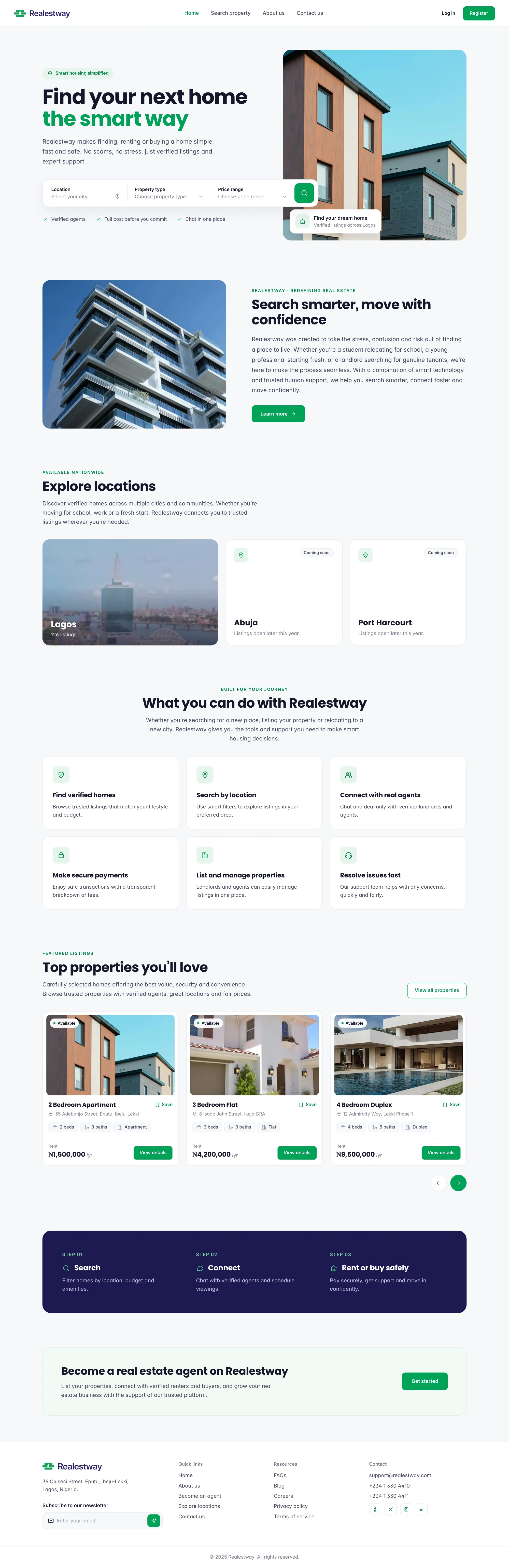
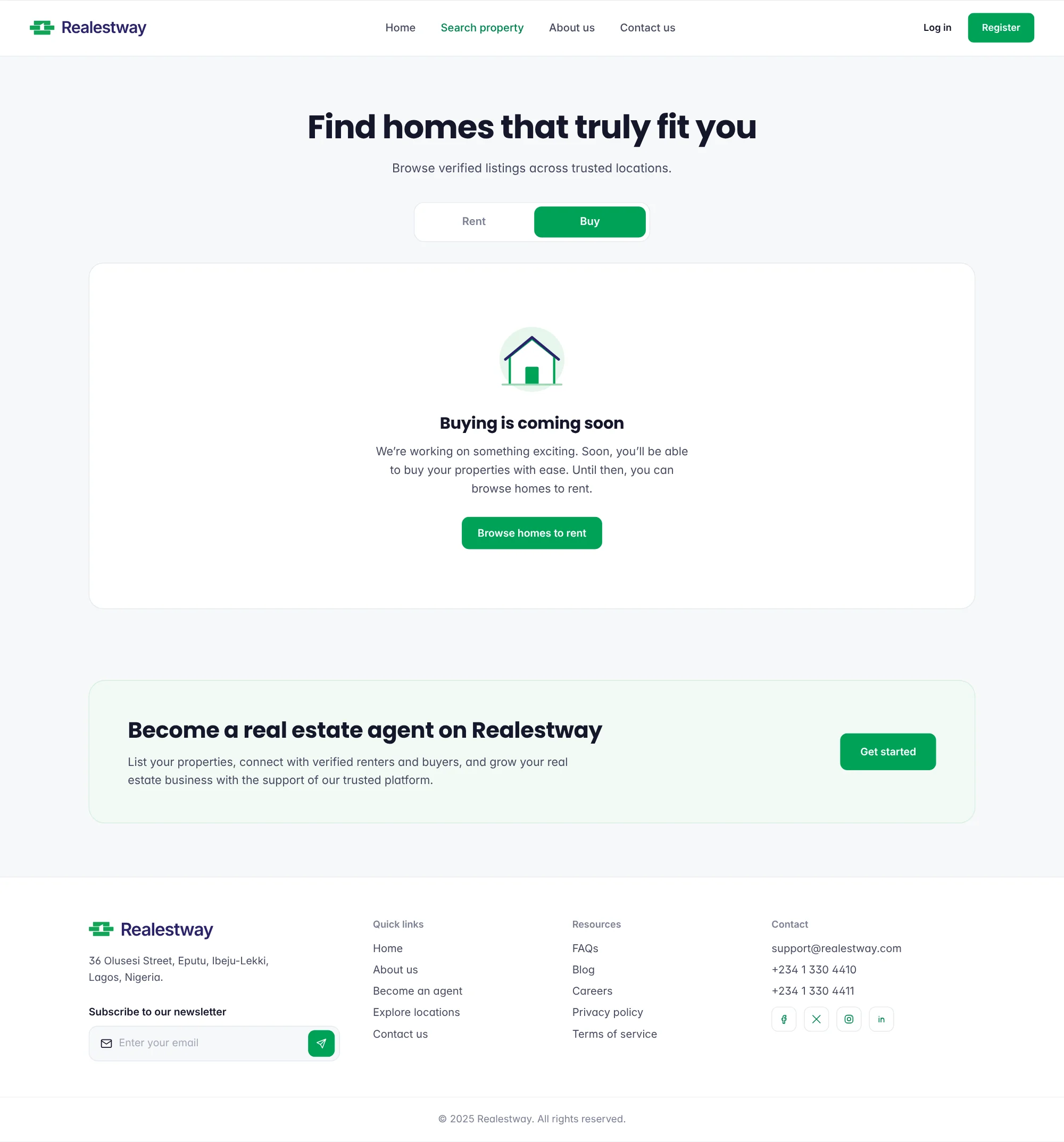
The landing page places search in the hero, with location, property type and price filters. This gives someone arriving with a specific need a direct starting point.
Featured properties and locations support browsing, while the search structure helps narrow the collection when the person already knows what they are looking for.
2. Bring the listing details and costs together
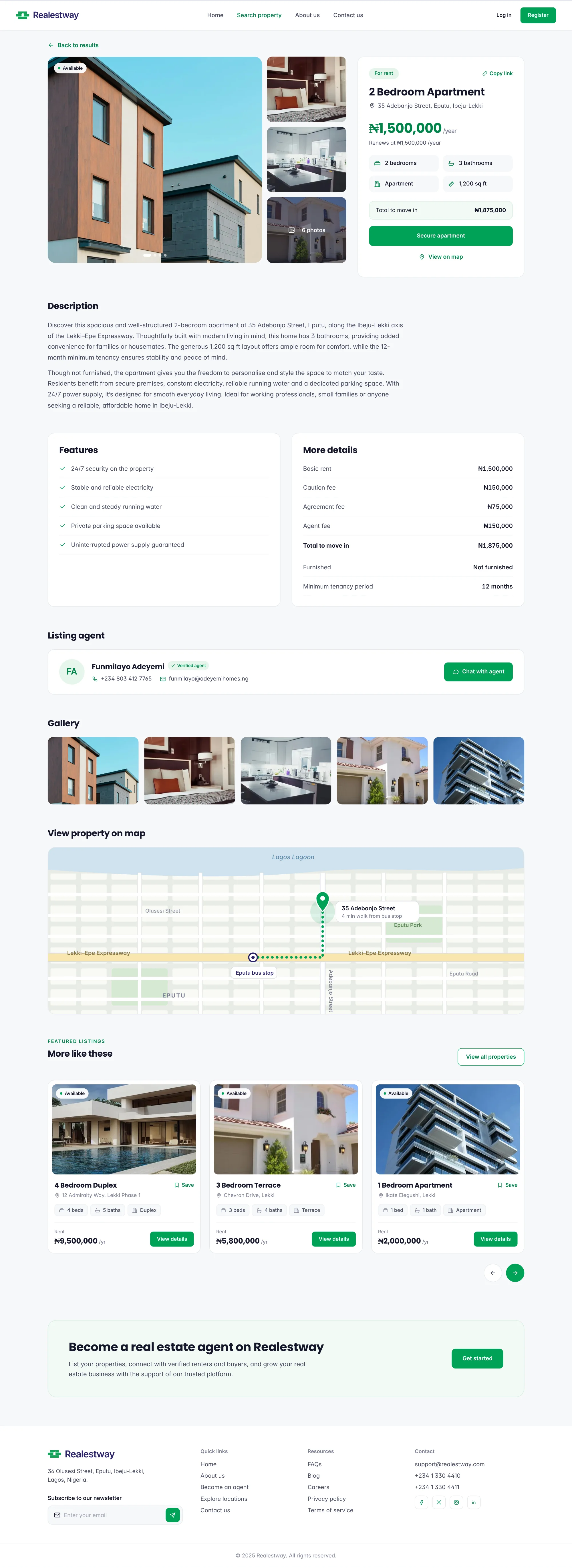
In Lagos, the rent is rarely the whole cost. The property page shows the yearly price and the renewal price at the top, then a More details table with basic rent, caution, agreement and agent fees, the total to move in, furnishing and the minimum tenancy period, next to the features list.
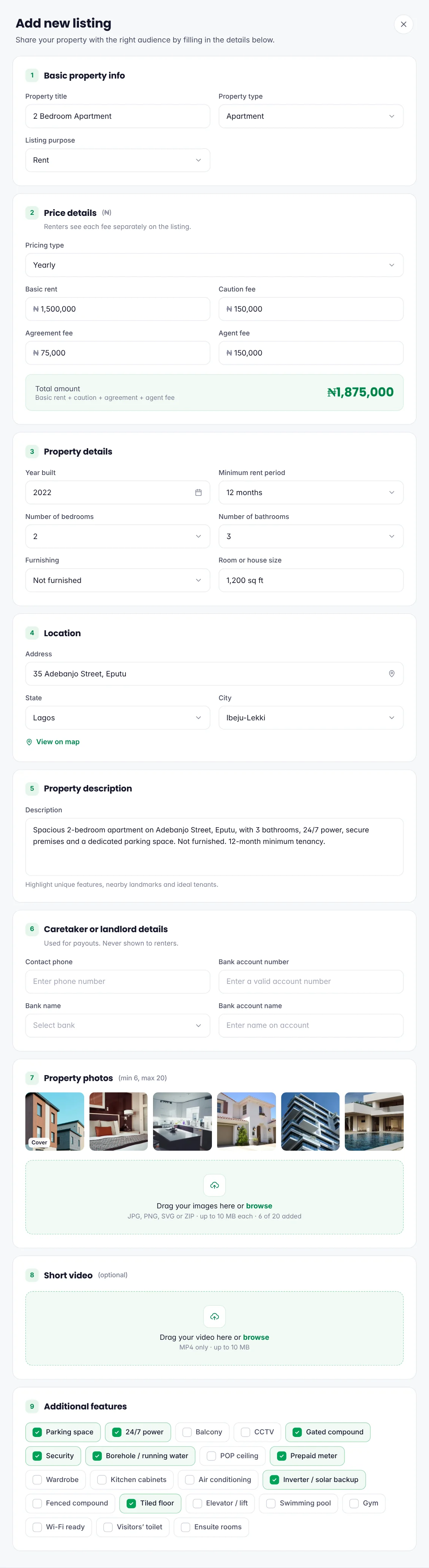
I added the same breakdown to the agent’s Add Listing form. Agents enter basic rent, caution, agreement and agent fees separately, and the form adds up the total, so every listing that reaches a renter has its costs filled in.
3. Keep the conversation connected to the property
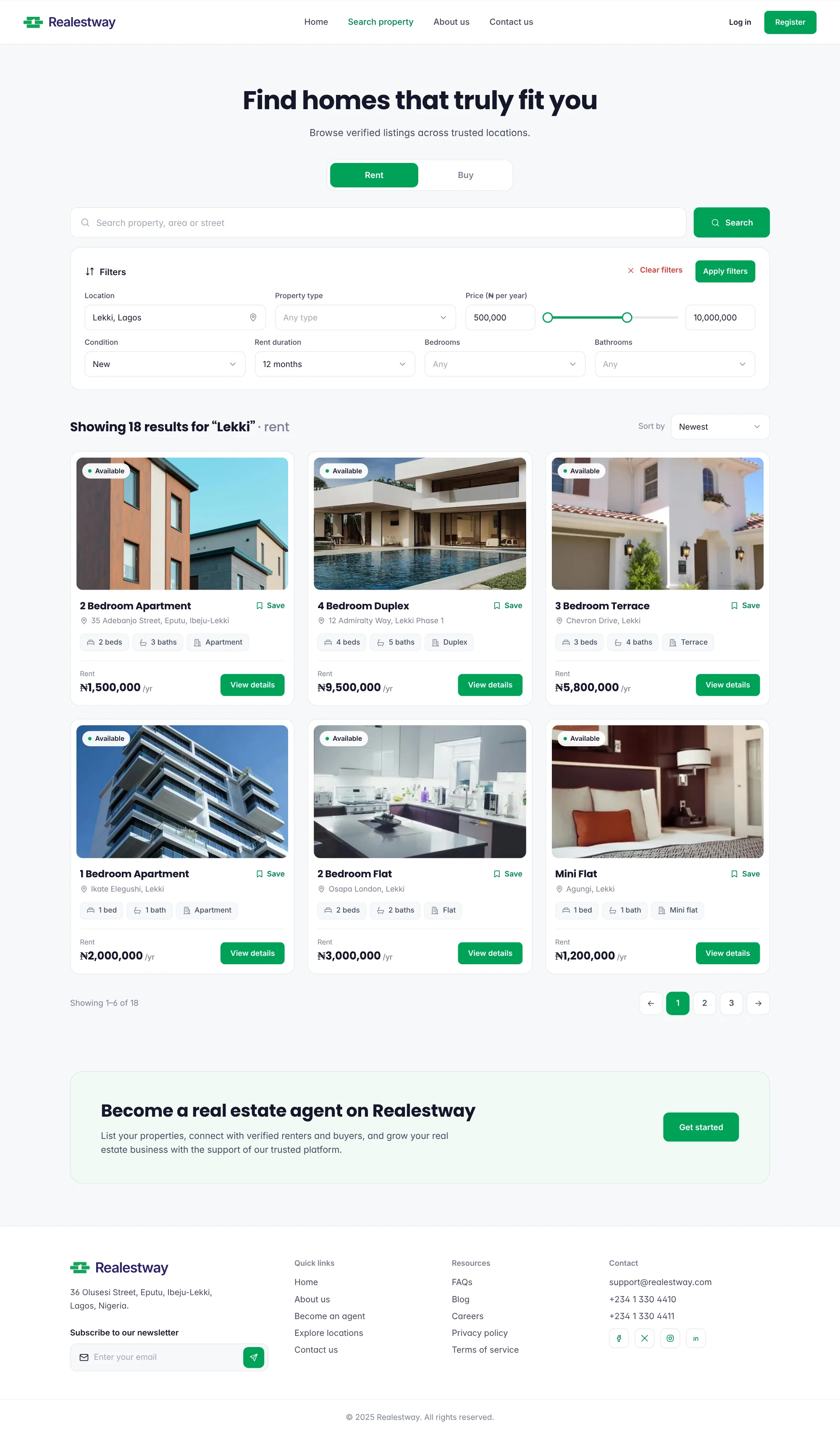
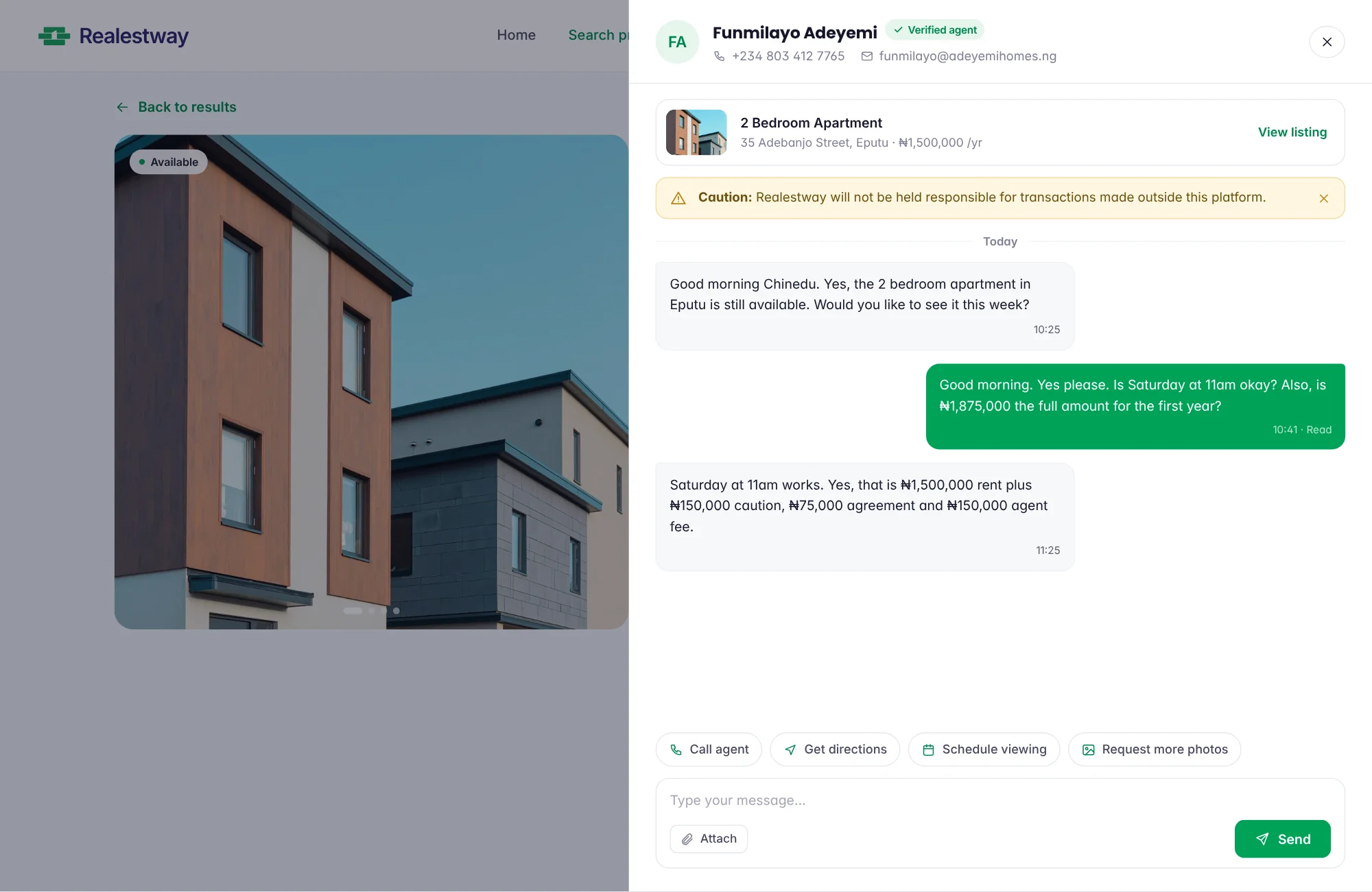
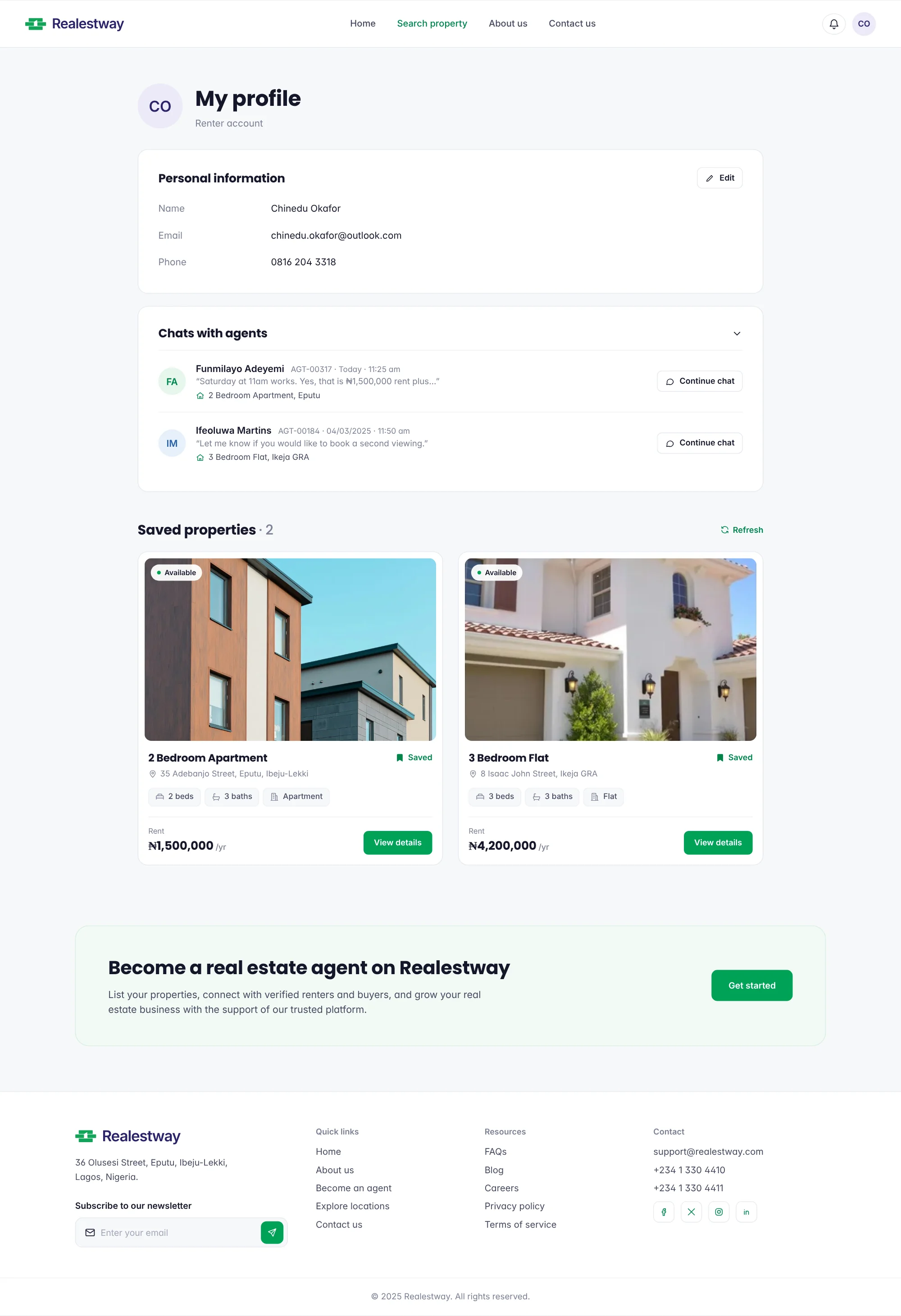
Chat sits alongside the property-search experience so contacting an agent is part of the journey. The renter account also brings saved properties and conversations into the wider experience.
The aim is to make it easier to move from interest in a listing to a relevant conversation, rather than treating communication as a separate destination with no property context.
4. Support the agent’s work across screen sizes
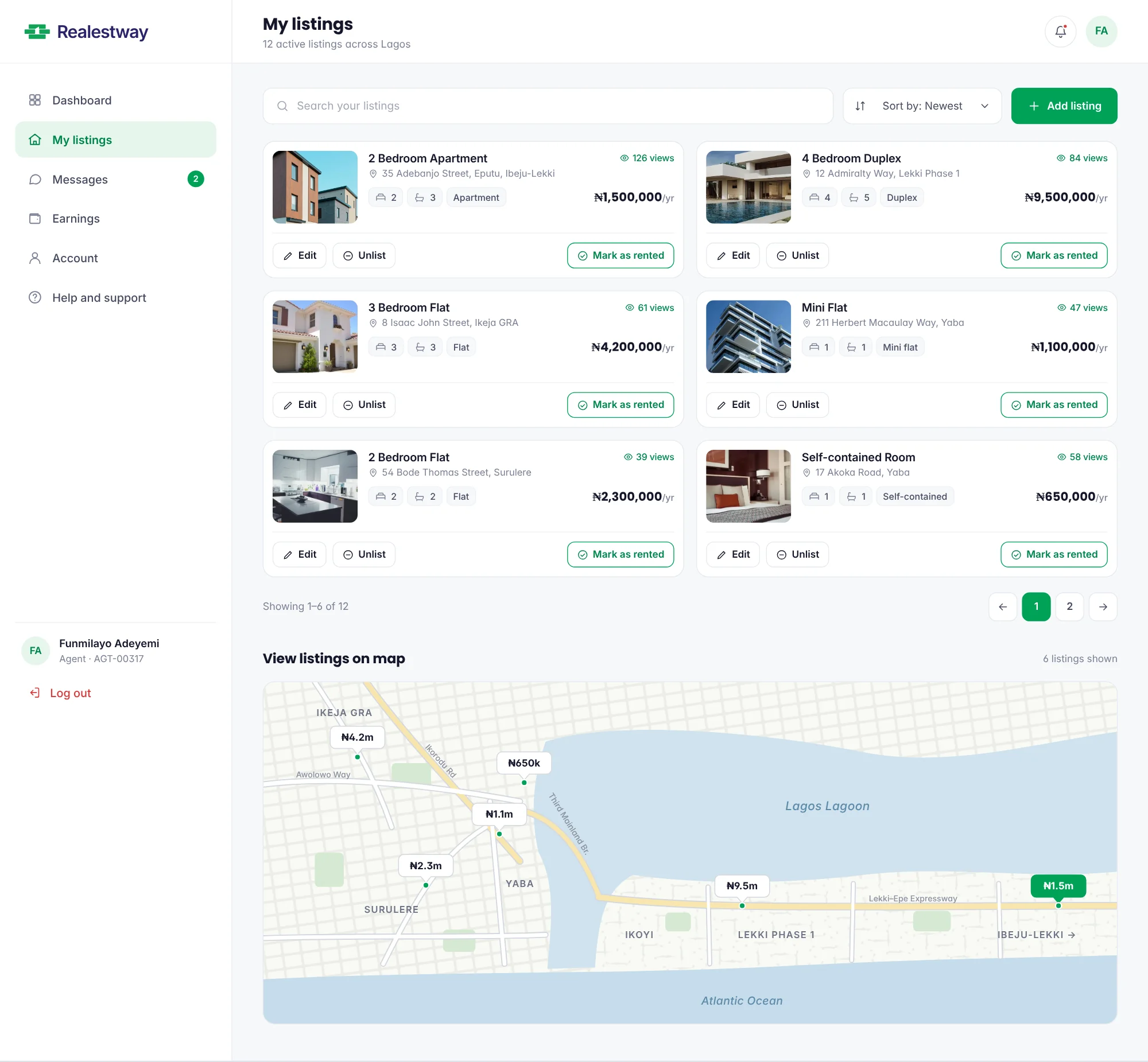
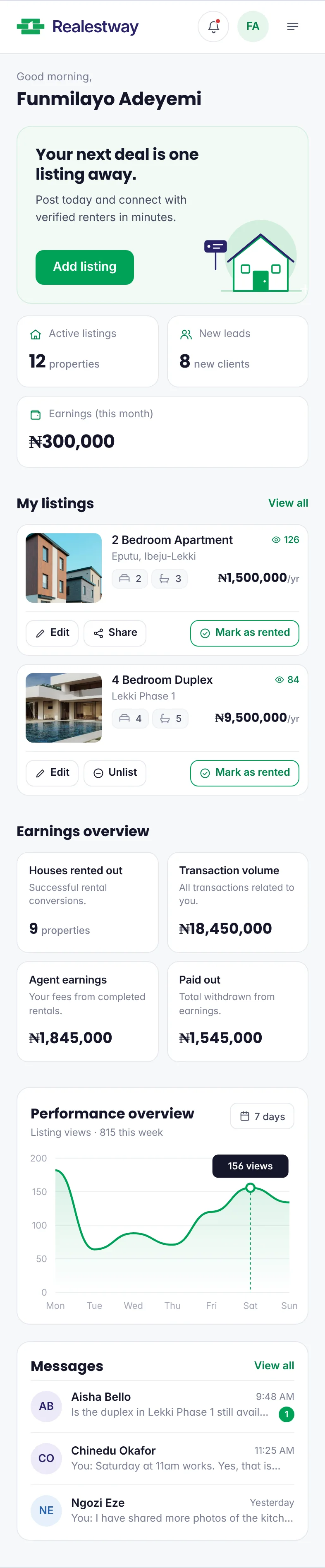
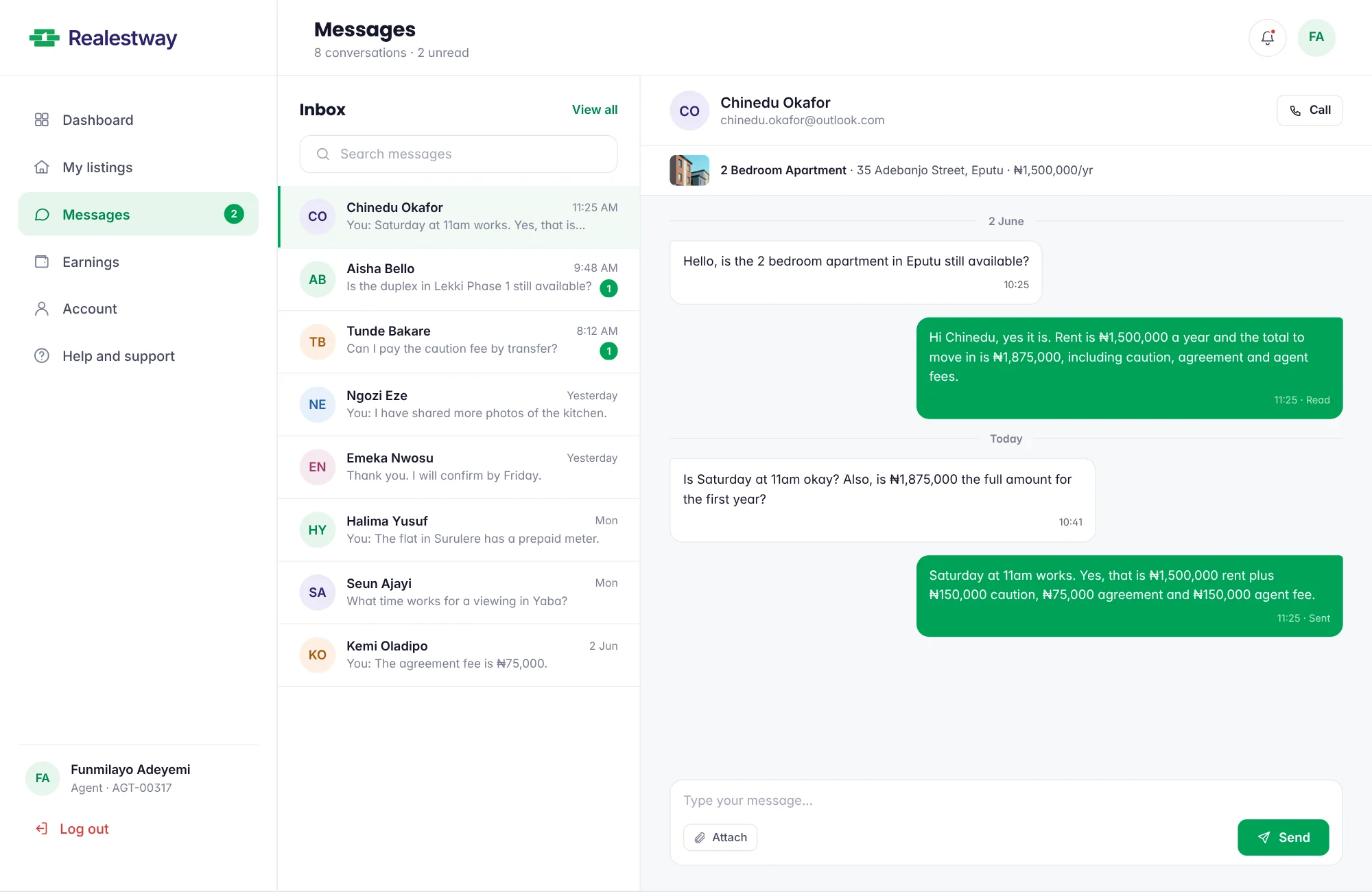
Agents work from their phones as much as from a laptop. The dashboard shows listings, messages, earnings and performance on both, and the listing actions stay one tap away on mobile.
Adding a property is a long form, so I split it into sections: basic info, price details, property details, location and photos, with the total cost calculated as the agent types.

The agent’s workspace
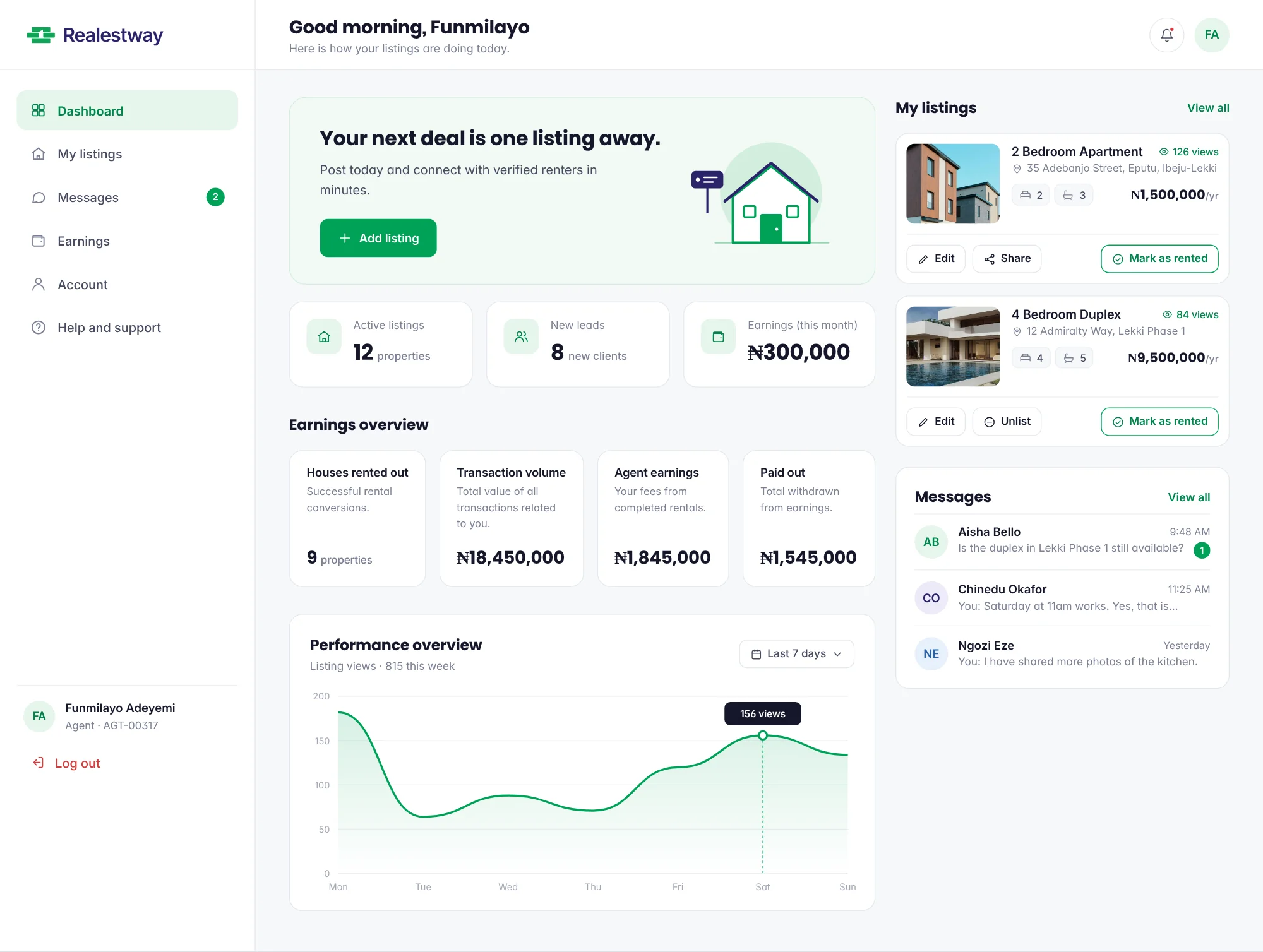
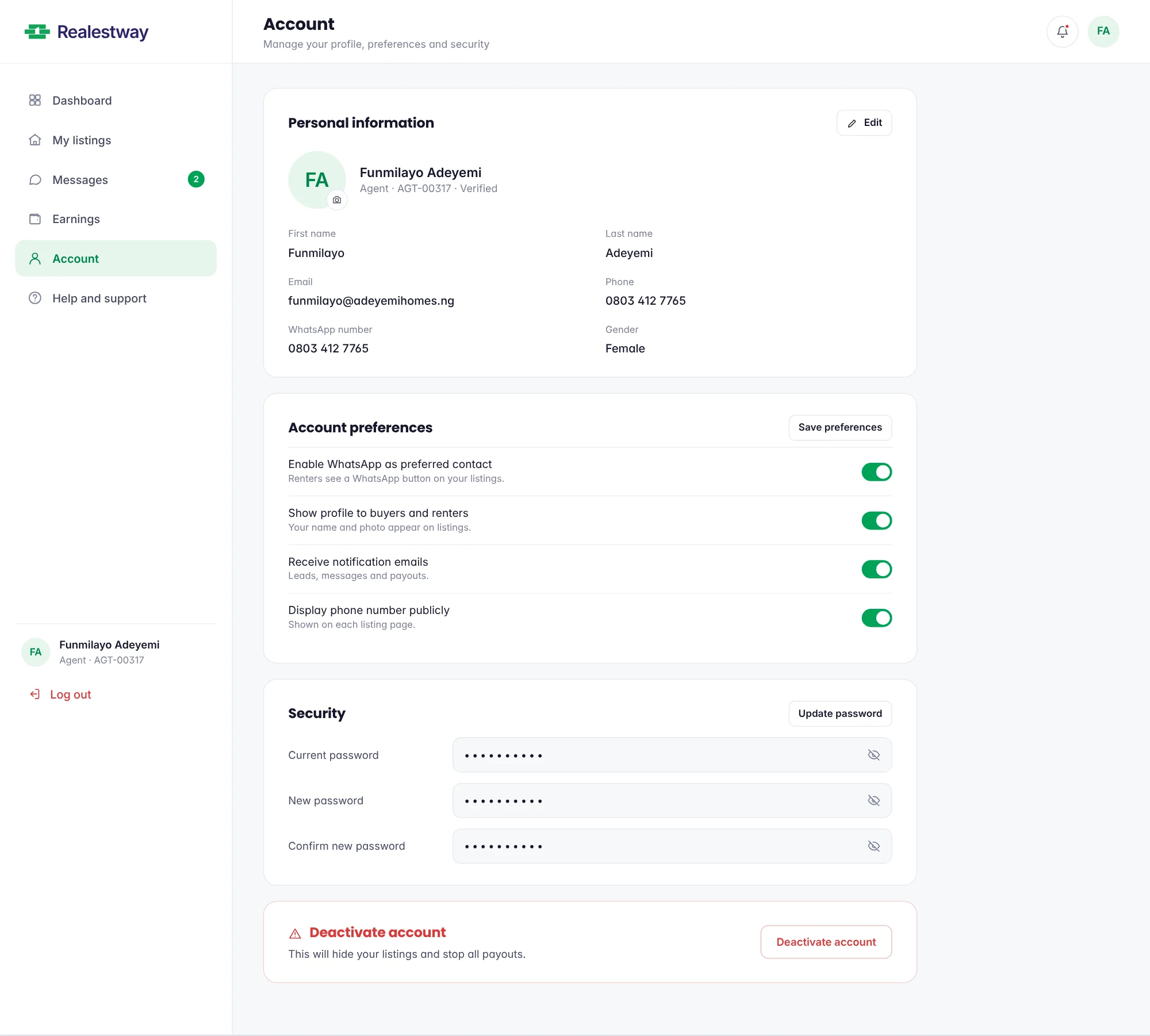
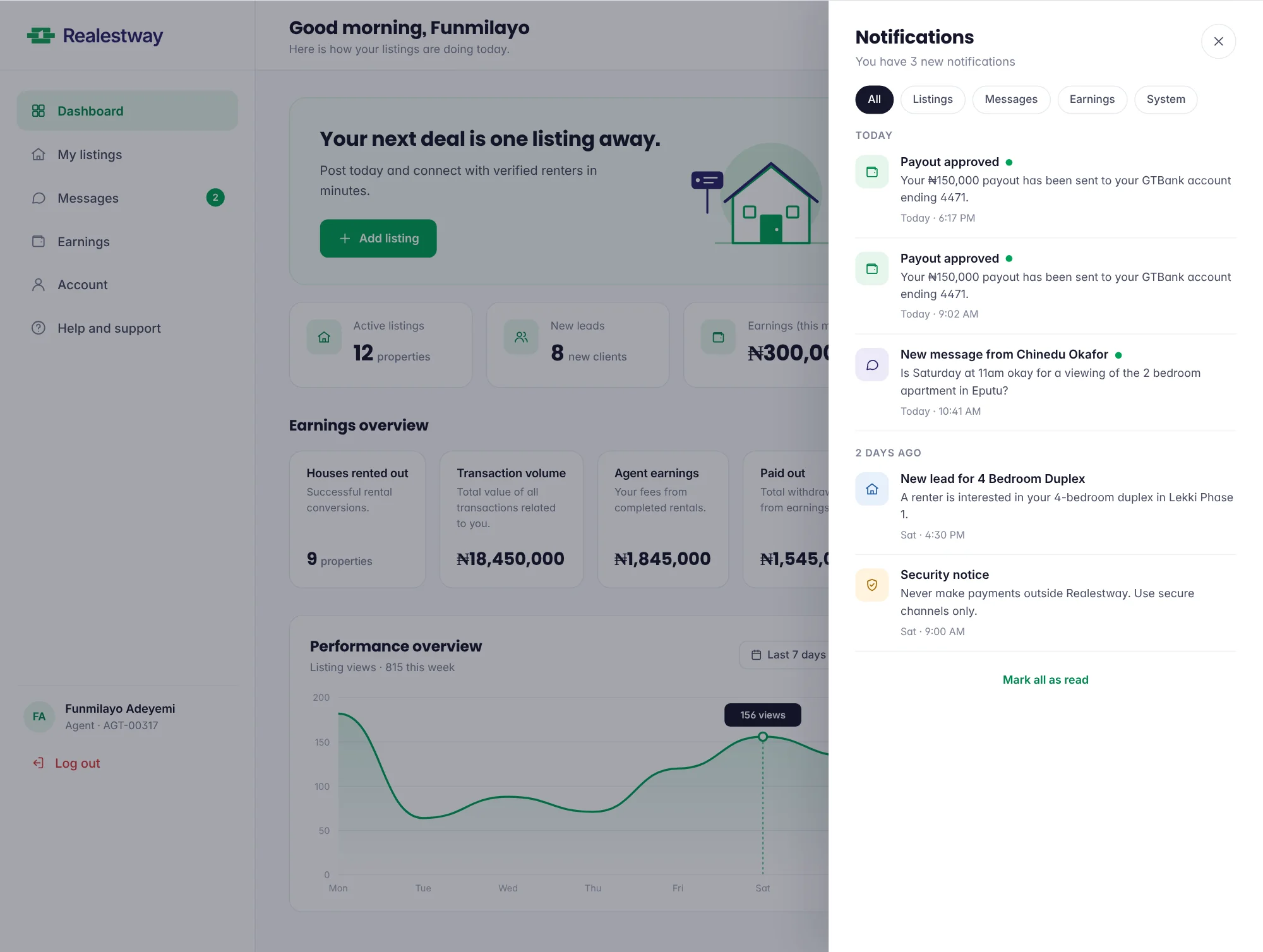
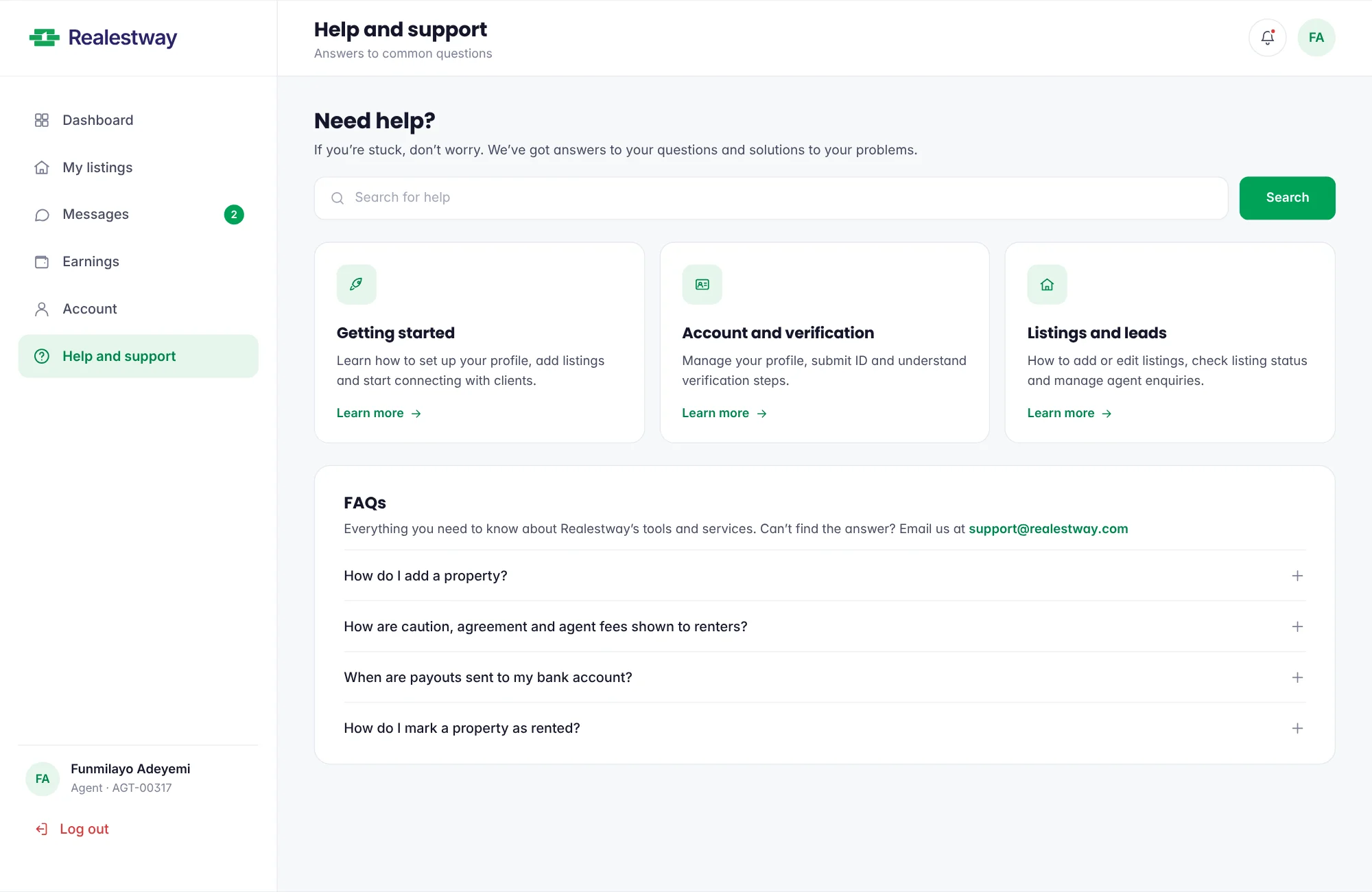
The dashboard opens with one prompt, Add Listing, then active listings, new leads and this month’s earnings. Below that sit rental conversions, transaction volume, payouts, a performance chart and the latest messages. Each listing card has Edit, Share or Unlist, and Mark as Rented.
Choose a screen. The sidebar stays in place and longer pages scroll inside the window.
The renter’s side
Renters move from search to a property, then to a chat with the agent and their own profile. Choose a page and scroll through it.
More screens
Every group scrolls sideways. Tap a screen to see it larger.
Mobile views
4What it delivered
The agent can enter each fee once. The renter can see the first-year total on the property page and ask about that same listing in chat before a viewing.
Property search and agent management affect each other. The listing needs enough context for a useful enquiry, while the agent needs a way to manage the response. Designing both sides helped me consider the experience beyond the first search result.
What I took from it